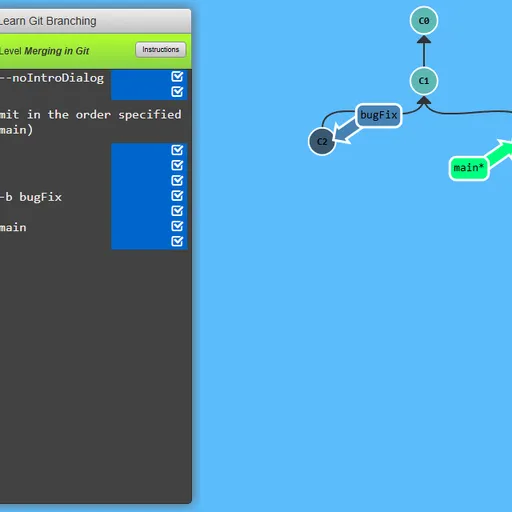
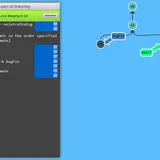
Learn Git Branching turns version control into a set of tree puzzles. A terminal sits on the left and a live diagram of commits and branches fills the rest of the screen. Each level shows a target tree, and you type real git commands until your tree has the same shape. Learn Git Branching by Peter Cottle covers everything from a first commit to rebasing across remote repositories.
How to Play Learn Git Branching
A short lesson opens each level, often with a step-by-step demo of the command it teaches. Close it and the terminal is ready. Type a command such as git commit, git branch bugFix or git checkout main, press Enter, and the circles and labels move to show what happened.
The goal window floats over the diagram. Compare it with your own tree, then hide it to work. When the two trees match, the level is marked solved and the game offers the next one. Finish in as few commands as the reference solution and the level earns a gold star in the menu.
There are 36 levels. The Main tab groups 20 of them into five sets: an introduction, ramping up, moving work around, a mixed bag and advanced topics. The Remote tab adds 16 more on clone, fetch, pull, push and their arguments.
Learn Git Branching Controls
| Action | Keyboard | Mouse |
|---|---|---|
| Type a command | Type anywhere on the page, then Enter | — |
| Open the level menu and pick a level | Type levels, then arrow keys and Enter | Click a level number in the menu |
| Compare your tree with the target | Type show goal (or hide goal) | Click Show Goal on the level bar |
| Get a hint or read the lesson again | Type hint, or objective | Click Instructions on the level bar |
| Take back the last command | Type undo (or reset to start over) | — |
| Page through a lesson or close it | Right arrow or Enter for next, Left arrow for back, Escape to close | Click the arrows or the check mark |
Tips and Strategies
- Watch which label has the star. The asterisk marks the branch HEAD points to, and new commits always land there.
- Use relative references.
main^andHEAD~3save you from reading commit IDs off the diagram. - Undo freely. Typing
undosteps back one command, so you can test an idea without restarting. - Count the goal’s commits first. A target with copied commits usually wants
git rebaseorgit cherry-pick, while a commit with two parents means a merge. - Practice in the sandbox. A few minutes of free typing in
sandboxmakes the later rebase levels much less confusing.
Features
- Live commit graph that animates every change you make.
- Built-in lessons with demos before each new idea.
- Remote repository levels that simulate a second repository and teammates’ commits.
- Progress memory: solved levels are kept in your browser between visits.
- Many languages: the interface and lessons can be switched from the bar in the bottom corner.
Tested and updated: