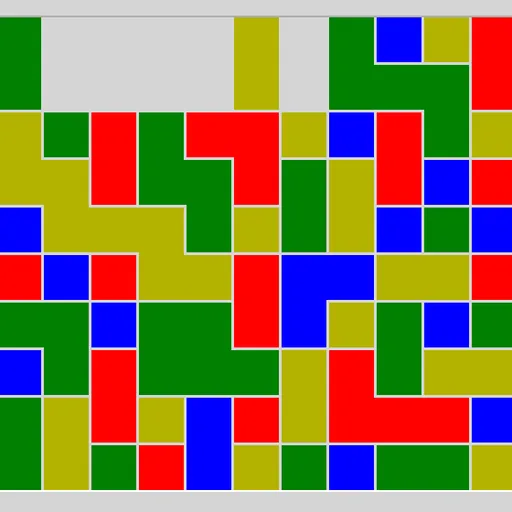
Same Game Blocks fills a box with colored squares, and your job is to empty it. You can only take out a group of two or more same-colored squares that touch along their sides. When a group goes, the squares above drop down and empty columns close up. Bigger groups earn far more points, so the real challenge is planning which colors to save for one large clear. James Harvey wrote this version for Simon Tatham’s Portable Puzzle Collection.
How to Play Same Game Blocks
Click a square and its whole connected group lights up. The status bar shows how many squares are selected and how many points they would be worth. Click the same group again to remove it, or pick another group to change your mind.
After each removal, squares that were resting on the cleared ones fall straight down. If a whole column empties, the columns to its right slide left to fill the gap. Single squares can never be removed on their own.
Clear every square to win and the status bar shows COMPLETE with your score. If only lonely single squares are left, the game is over. The first board is a small 5x5 grid with three colors. The Type menu goes up to 20x15 with four colors, and Custom lets you set the size, the number of colors and the scoring rule.
Same Game Blocks Controls
| Action | Keyboard | Mouse | Touch |
|---|---|---|---|
| Select a group | Arrow keys to move the cursor, then Space or Enter | Left-click a square in the group | Tap a square in the group |
| Remove the selected group | Space or Enter again | Left-click the selected group again | Tap the selected group again |
| Cancel the selection | — | Right-click the selected group | Press and hold the selected group |
| Undo, redo, new board | U / R / N | Undo move, Redo move and New game buttons | Undo move, Redo move and New game buttons |
Tips and Strategies
- Grow one color on purpose. Remove other colors from around a scattered color so its pieces fall together into one big group.
- Work from the bottom. Clearing low groups makes everything above shift, which often joins pieces that were apart.
- Be careful with the last few squares of a color. If one square of a color gets cut off from the rest, the board can no longer be cleared.
- Preview before you commit. The selection shows the score first, so check a few groups and pick the best one.
- Pairs are for tidying up. Under the standard scoring a pair is worth zero, so use pairs to rearrange the board, not to score.
Features
- Five preset sizes from 5x5 to 20x15, plus a Custom option with two scoring systems.
- Boards that can always be cleared, unless you turn that setting off.
- A live score preview for the group you have selected.
- Unlimited undo and redo and a Restart button.
Tested and updated: