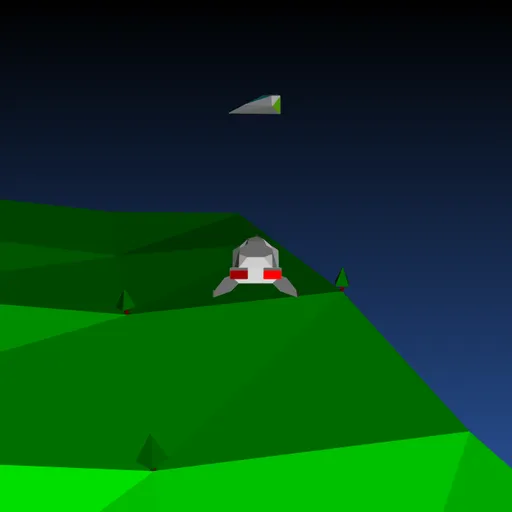
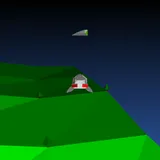
Backspace: Return to Figadore is a 3D flying shooter drawn entirely with vector shapes. You pilot Jade’s starship over the green, rolling hills of planet Figadore, where an alien infection is jumping from ship to ship. Instead of blowing up the enemy, your missiles cure them. Your aim is to turn every red ship gray before the sickness takes the whole fleet. Jasper Renow-Clarke made it for the 2019 js13k contest, where the theme was “Back”, and built his own 3D engine that draws each frame as SVG.
How to Play Backspace: Return to Figadore
Press a key on the title screen to launch. Your ship always flies forward on its own. Up makes it go faster, Down slows it and lets it drift back, and Left and Right turn it with a lean. Moving the mouse sideways slides the ship left or right without turning.
Each level fills the sky with alien ships, and half of them start out infected and colored red. After a few seconds of grace, any red ship that comes close to a gray one passes the infection on. Healthy ships try to steer away from sick ones, but they are not always fast enough.
Press Space or Enter to fire a spinning missile straight ahead. You can have up to five in the air, and each one fades after about three seconds. When a missile passes close enough to a red ship, the ship is cured and your score goes up by one.
Cure every red ship to finish the level. Level 1 has 5 ships, and each new level adds 5 more, up to 25 on level 5. The cure blast also shrinks each level, so later shots must be more accurate. Clear level 5 and the planet is saved. If the whole fleet becomes infected, the mission fails.
Backspace: Return to Figadore Controls
| Action | Keyboard | Mouse |
|---|---|---|
| Start the game, or return to the title after it ends | Any key (Space or Enter) | — |
| Turn left or right | Left/Right arrows, A/D or Z/X | — |
| Speed up | Up arrow, W or ; | — |
| Slow down and drift back | Down arrow, S or . | — |
| Fire a cure missile | Space or Enter | — |
| Slide sideways | — | Move the mouse left or right |
Tips and Strategies
- Strike in the first few seconds. Infection does not spread right after a level starts, so cure the nearest red ships at once.
- Go after red ships near gray ones. One sick ship in a crowd can infect several others quickly.
- Use the mouse to line up. Sliding sideways lets you put a target dead ahead without changing your heading.
- Fire in short bursts. Only five missiles can be in flight at once, and there is a short wait between shots.
- Watch the bar on the right. A growing red section means the infection is winning, so stop exploring and focus on the closest targets.
Features
- Hand-built 3D engine that draws terrain, trees, the moon and ships as live SVG shapes.
- Five levels with more ships and a smaller cure radius each time.
- Spreading infection where sick ships pass it on and healthy ships try to flee.
- Sound effects generated in the browser for firing, curing and level changes.
- 14-segment display font for the score and messages.
Tested and updated: