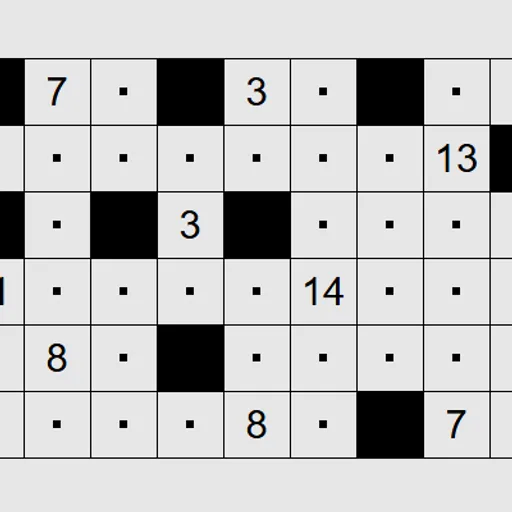
Range Shading Puzzle is a black-and-white logic grid built around lines of sight. Numbers are scattered across the board, and you decide which empty squares to paint black. Each number must see exactly as many white squares as its value, while the white area stays in one piece. It is Range, contributed by Jonas Kölker to Simon Tatham’s Portable Puzzle Collection, and the same idea is known in Japan as Kurodoko.
How to Play Range Shading Puzzle
Your shading has to follow four rules at once:
- A numbered square is never black.
- Two black squares never touch along an edge, though they may meet at a corner.
- All white squares must link up into one region through their edges.
- Each number counts the white squares it can see in the four straight directions, stopping at a black square or the edge of the board, plus itself.
So a 4 in a corner sees itself plus three more squares, shared between its row and its column. When a number already sees more than its value, something along those lines has to turn black.
Left-click to shade a square and right-click to drop a small dot, your own reminder that the square stays white. Clicking again cycles a square through black, dot and empty. The puzzle flashes when the board is solved. Presets go from 9 by 6 up to 16 by 11.
Range Shading Puzzle Controls
| Action | Keyboard | Mouse | Touch |
|---|---|---|---|
| Shade a square black (repeat to cycle) | Arrow keys to move, then Enter | Left-click | Tap with Tap set to Shade black |
| Mark a square with a dot as surely white (repeat to cycle) | Space | Right-click | Press and hold, or set Tap to Dot and tap |
| Dot every square you pass over | Shift + arrow keys | — | — |
| New game, undo, redo | N, U, R | Menu buttons above the grid | Menu buttons above the grid |
Tips and Strategies
- Find the largest possible view of each number first. If the row and column together hold exactly its value, nothing in them can be black.
- Every neighbor of a black square must be white, so dot all four right after you shade one.
- Small numbers are strong clues. A 2 sees just one other square, so three of its four sides must be black or the board edge.
- Watch the connection rule near edges and corners. A black square that would seal off a pocket of white is always wrong.
- Shift plus the arrow keys lays a trail of dots, which is quick for clearing a long line you have proved white.
- Keep counting from both ends of a line. Placing a black square limits two numbers at once when they share that row or column.
Features
- Four preset board sizes plus custom widths and heights
- Dots for squares you know are white, with three-state cycling
- Swappable mouse buttons in Preferences
- Unlimited undo and redo, Solve, and touch support with press and hold
Tested and updated: