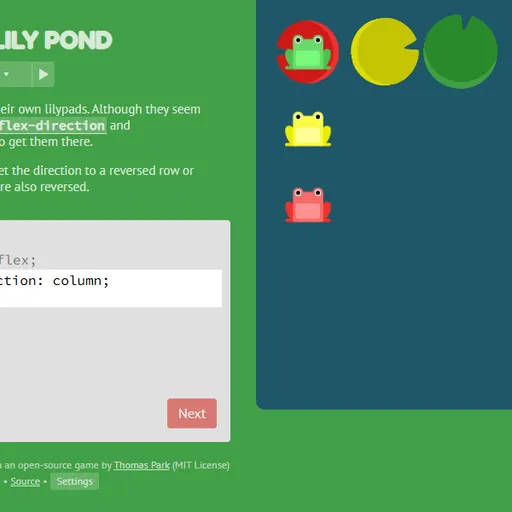
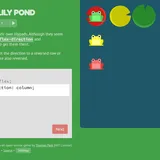
Flexbox Lily Pond teaches CSS flexbox through a pond full of frogs. Green, yellow and red frogs sit in a row, and each needs to reach the lily pad of its own color. You move them by writing real CSS for the pond container, the same code you would use to lay out a web page. As you type, the frogs slide to wherever your rules put them, so you see the effect of every property right away.
How to Play Flexbox Lily Pond
Each level shows a short lesson on the left, a code box, and the pond on the right. The code box already contains display: flex; for the #pond container, and you fill in the missing lines. Your CSS is applied as you type. When every frog lands on a matching lily pad, the Next button turns active and you can move on.
The 24 levels add one idea at a time. The first ones use justify-content to move frogs along the row and align-items to move them up and down. Then flex-direction turns the row into a column or flips it, which also swaps what “start” and “end” mean. Later levels use order and align-self to move a single frog, flex-wrap and flex-flow to break frogs onto several lines, and align-content to space those lines out. Some levels ask you to combine two or three properties.
Your answers and solved levels are saved in the browser, and solved levels are marked in the level menu.
Flexbox Lily Pond Controls
| Action | Keyboard | Mouse | Touch |
|---|---|---|---|
| Type CSS | Type in the code box | — | Tap the code box and use the on-screen keyboard |
| Submit a correct answer | Enter on the last line, or Ctrl + Enter | Click "Next" once it lights up | Tap "Next" |
| Pick a level | — | Click the level counter, then a level number, or use the side arrows | Tap the level counter, then a level number |
| Read about a property | — | Click a highlighted property name in the instructions | Tap a highlighted property name |
| Change difficulty or colorblind mode | — | Click "Settings" under the editor | Tap "Settings" |
Tips and Strategies
- Check the main axis first.
justify-contentfollows the direction set byflex-direction, so in a column it moves frogs up and down instead of sideways. - Click the property names. Highlighted words in the instructions open a short list of every value that property accepts.
- Remember reversed directions. With
row-reverseorcolumn-reverse,flex-startsits on the opposite side from what you expect. - Target one frog with its selector. Levels about
orderandalign-selfgive you a rule for a single frog color, so change only that frog. - Know the difference between the two aligns.
align-itemsmoves frogs within each line, whilealign-contentspaces out whole lines when they wrap.
Features
- Live preview: frogs move as you type, before you submit.
- Built-in reference: every property in the lessons links to a list of its values.
- Three difficulty settings: full instructions, no instructions, or no instructions with random levels.
- Colorblind mode: swaps in frog and lily pad drawings with extra markings, so you do not have to rely on color alone.
Tested and updated: