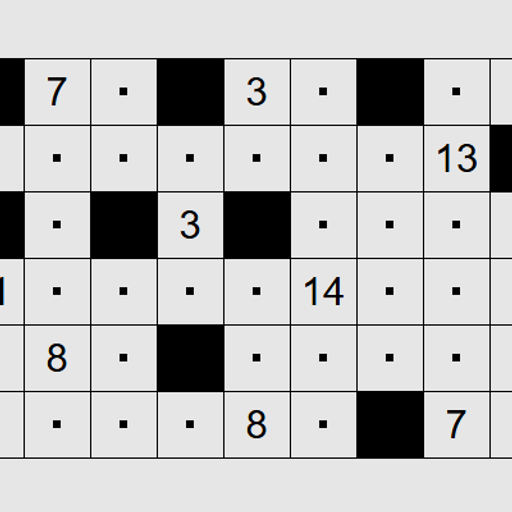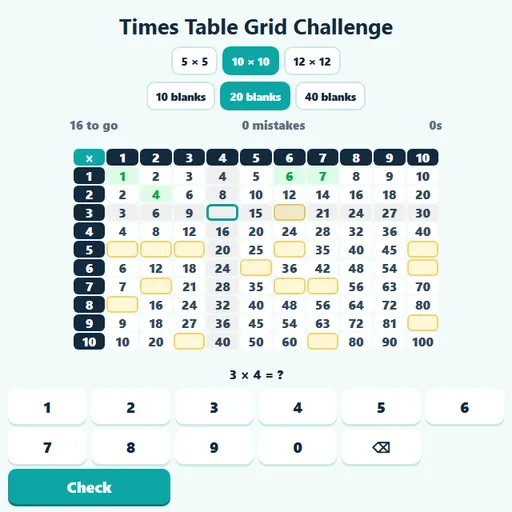
Times Table Grid Challenge turns the classic multiplication chart into a fill-in puzzle. Most squares are already filled in, but some are blank and shaded yellow. Your job is to find the row and column of each blank and type the product that belongs there. Times Table Grid Challenge shows the patterns of the times tables in a way flash cards cannot, because every answer sits next to its neighbors.
How to Play Times Table Grid Challenge
Choose a grid size of 5 × 5, 10 × 10 or 12 × 12, and how many blanks you want: 10, 20 or 40. A fresh grid is built each time you change a setting.
The first blank square is selected for you. Its row and column light up, and the fact appears under the grid. Type the product and press Enter or Check. A right answer turns the square green and jumps to the next blank. A wrong answer turns it red and shows a skip-counting hint, so you can work it out instead of guessing.
The timer starts with your first key press. When every blank is filled, you see your time and mistake count, and your best result for that grid is saved.
Times Table Grid Challenge Controls
| Action | Keyboard | Mouse | Touch |
|---|---|---|---|
| Select a blank square | Tab jumps to the next blank square | Click a yellow square | Tap a yellow square |
| Type the product | Number keys 0–9 (Backspace deletes) | Click the number pad | Tap the number pad |
| Check the square | Enter | Click "Check" | Tap "Check" |
Patterns to Look For
The grid is full of shortcuts. Spotting them makes the blanks much easier to fill.
- The chart is a mirror. 4 × 9 and 9 × 4 are both 36, so a blank above the diagonal has a twin below it.
- Rows go up in equal steps. In the 7s row every square is 7 more than the one before it.
- The 9s row has a digit trick. The tens digit goes up by one while the ones digit goes down by one: 18, 27, 36, 45.
- The diagonal holds the square numbers. 1, 4, 9, 16, 25 and so on.
- The 5s row ends in 0 or 5, and the 10s row always ends in 0.
For Teachers and Parents
The grid works well on a classroom screen. Choose 12 × 12 with 10 blanks and ask students to explain how they found each answer, using the row, the column, or a pattern. It is also a good check after a unit on arrays, since each square is the size of an array with that many rows and columns. A complete 12 × 12 multiplication chart is on the Multiplication.com homepage for checking answers, and Multiplication Race makes a lively follow-up once the grid feels easy.
Features
- Three grid sizes and three blank counts, with a saved best for each setting.
- Row and column highlighting for the selected square.
- Skip-counting hints after a wrong answer.
Tested and updated: