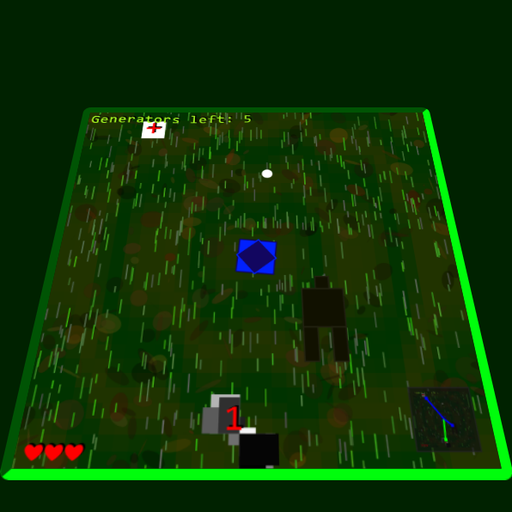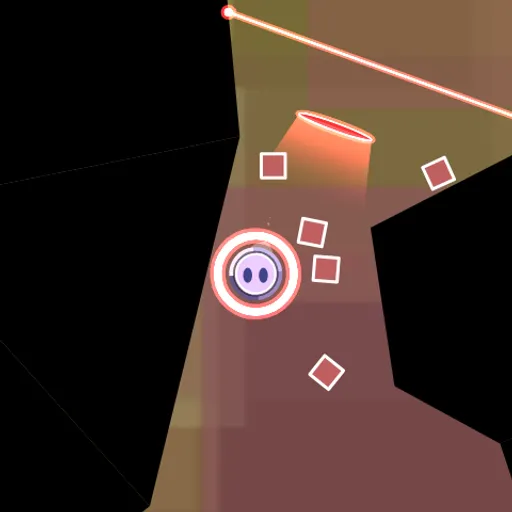
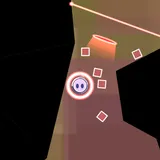
Hyperspace Garbage Collection is a physics puzzle about cleaning up space trash. You guide a round robot with a little face through dark cave chambers while square pieces of trash pour out of glowing warp holes. Each piece is either blue matter or red antimatter, and the goal in every room is to steer the right color onto a matching switch to open the exit door. Raymond Zhou made it for the GitHub Game Off 2013 jam.
How to Play Hyperspace Garbage Collection
Press start, then move the robot with the keys or by dragging on the screen. The robot floats freely, and it bumps and shoves any trash that shares its color.
Look for the round switch in each room. A thin wire runs from it to the door it controls. When a piece of trash of the switch’s color touches it, the switch locks that piece in place and lights up. Once every switch wired to a door is lit, the door slides open and you can fly through to the next chamber.
Colors matter everywhere. Trash of opposite colors destroys each other on contact. If you bump trash of the opposite color, that piece explodes, the screen shakes and the robot pulls a face. Lasers cut through trash of their own color but let the other color pass. Tractor beams push loose pieces along a set path, and every piece fades after a few seconds if it does not reach a switch.
There are four chambers. The later ones have two switches, one for each color, so you need to switch modes in the middle of a push. Clearing the last door takes you to a short ending screen.
Hyperspace Garbage Collection Controls
| Action | Keyboard | Mouse | Touch |
|---|---|---|---|
| Move the robot | W A S D or arrow keys | — | Touch and drag in the direction you want to go |
| Switch between matter and antimatter | Space | Click the button below the game | Tap the button below the game |
| Start the game | — | Click start | Tap start |
| Change graphics settings | — | Click the gear in the corner | Tap the gear in the corner |
Tips and Strategies
- Match your color before pushing. The robot only moves trash of its own color, so check the ring around it before you go after a piece.
- Clear blockers on purpose. Switch to the opposite color and ram stray pieces that are in your way.
- Use the tractor beams. Nudge trash into a beam and let it carry the piece most of the way.
- Read the lasers. A red laser removes red trash, so guide red pieces around it rather than through it.
- Work fast. Trash does not last long, so meet a fresh piece near the warp hole and push it straight to the switch.
- Turn off effects on slow devices. The gear menu can disable the background, explosions, glow, gradients and trail.
Features
- Two-color physics: matter and antimatter trash push, collide and cancel each other out.
- Four handmade chambers: with lasers, tractor beams, warp holes and wired doors.
- Touch support: a drag-to-steer control and an on-screen color button.
- Expressive robot: its face changes when it gets bumped.
- Graphics options: five toggles for slower computers and phones.
Tested and updated: