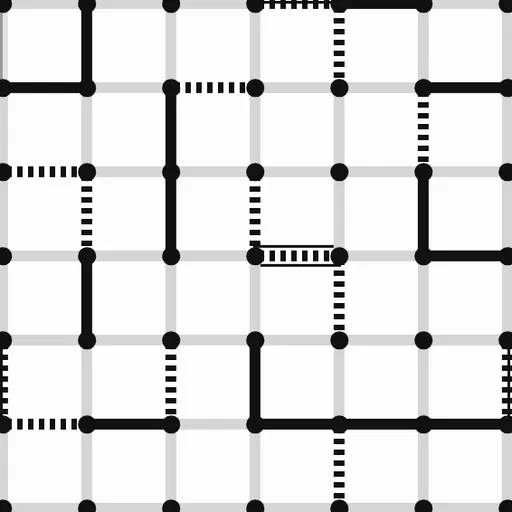

Dots and Boxes is the pencil-and-paper game many people first played on the back of a school notebook. This version comes from Christopher Müller’s open-source PaperGames collection and shows a clean black-and-white grid of dots. Players take turns joining two neighboring dots with a line. Draw the last side of a square and it becomes yours, plus you move again. When every line is on the board, the player with more boxes wins.
How to Play Dots and Boxes
Pick a grid size first: 4x4, 5x5, 6x6 or 8x8 boxes. Player 1 always draws the first line. On each turn you add exactly one horizontal or vertical line between two dots that sit side by side. A line that is already drawn cannot be used again.
Each box has four sides. Whoever draws the fourth side claims that box, and it is marked with a cross for Player 1 or a circle for Player 2. Claiming a box gives you another line straight away. If that line closes a box too, you keep going. The turn passes to the other player only after you draw a line that completes nothing.
The game ends when all lines are drawn. Most boxes wins, and an equal count is a draw. Against the computer you can play as Player 1 or Player 2, and the Undo button steps back through earlier moves.
Dots and Boxes Controls
| Action | Keyboard | Mouse | Touch |
|---|---|---|---|
| Draw a line | Arrow keys to reach a line, Enter to draw it | Click the gap between two neighboring dots | Tap the gap between two neighboring dots |
| Start a game against the computer | — | Click "vs Computer", pick Player 1 or 2, a level and a grid size, then click "New game" | Tap "vs Computer", pick Player 1 or 2, a level and a grid size, then tap "New game" |
| Play a friend on one screen | — | Click "2 Player (local)" | Tap "2 Player (local)" |
| Take back a move | — | Click "Undo" | Tap "Undo" |
| Open settings | — | Click "Settings" | Tap "Settings" |
Tips and Strategies
- Count the sides before you draw. A line that gives any box its third side lets your opponent take that box for free.
- Stall in the early game. While safe lines remain, draw ones that leave every box with two sides or fewer.
- Watch for chains. Rows of boxes that each have two sides drawn act as one long chain. Whoever is forced to open a chain usually gives all of it away.
- Open the shortest chain first. When no safe line is left, give up the smallest group of boxes so your opponent gains as little as possible.
- Plan for the end. On larger grids the last few chains decide the result, so keep track of how many there are and how long each one is.
Features
- Four grid sizes, from a quick 4x4 game to a long 8x8 one
- Computer opponent with Easy, Medium and Hard levels, or two players on one device
- Solid and dotted lines plus cross and circle marks that are easy to tell apart
- A game in progress is saved in your browser and comes back after a reload
- Settings for text size, high contrast, spacing and how fast the computer replies
Tested and updated: