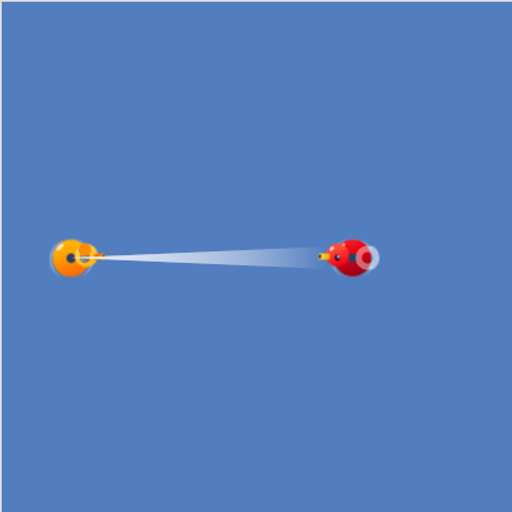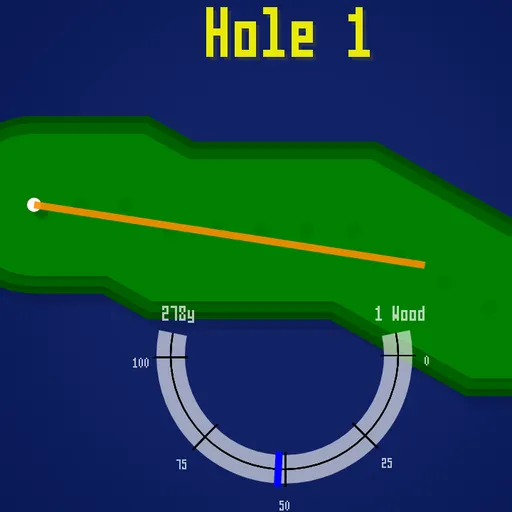
Coding Golf is a full-course golf game seen from straight above. A golfer named Fred sneaks onto the island course where he works to play a round. You play all 18 holes for him and try to win the Broken Links trophy. Instead of putting on short obstacle greens, you hit long shots with a full bag of clubs. You also have to judge the wind and time a three-step swing meter. Jasper Renow-Clarke (picosonic) made it for the js13k contest in 2020.
How to Play Coding Golf
Every hole is a winding green fairway set in a dark blue sea. It starts at a red tee and ends at a flag on a light green circle. The box in the top left shows the distance to the hole in yards, your stroke number, the par and your current club. Par runs from 3 to 6 and depends on how long the hole is.
Aim with the orange line, which shows how far the chosen club carries. There are 19 clubs, from the 1 Wood at 278 yards down to the 10-yard putter. Then swing:
- Press once to start the meter.
- Press again to lock in the power as the needle climbs toward 100.
- Press a third time as the needle swings back, as close to 0 as you can.
If you let the needle run past 100, the game sets the power for you and the shot goes slightly off line. Landing in the sea costs a stroke and puts you back where you were. Sand stops the ball dead, and shots out of a bunker lose power and wander. The ball drops once it rests within about 2 yards of the cup. After each hole you get a result such as Par, Birdie or Bogey, plus a scorecard split into Out and Home nines.
Coding Golf Controls
| Action | Keyboard | Mouse |
|---|---|---|
| Start a round, close the scorecard | Space or Enter | Click |
| Turn your aim left or right | Left and Right arrows | Scroll wheel |
| Change club | Up and Down arrows | — |
| Start the swing, set power, set accuracy | Space or Enter (three presses) | Click three times |
| Show the scorecard | S | — |
Tips and Strategies
- Read the wind panel. The arrow and the mph number in the top right change after every shot. A strong headwind can cost you a lot of distance, so think about one club longer.
- Do not overswing. Stopping near 100 is fine. Running past it adds a random sideways error.
- Club down near the green. The wedges carry 30 to 115 yards, and the putter only rolls 10. Switch early so you do not fly past the flag.
- Aim at the bends. Fairways zigzag, and a straight line to the flag often crosses open water. Two safe shots beat one splash.
- Watch for sand by the green. Many holes have a bunker just before the green. Shots from the sand turn up to 10 degrees off line.
- Check the card with S. It shows par and your strokes for every hole, so you know how far over or under you are.
Features
- 18 holes of winding, generated fairways with par values worked out from their length.
- 19 clubs with different carry distances, from woods and irons to wedges and a putter.
- Swing meter that sets both power and accuracy, so hooks and slices come from your timing.
- Changing wind, water hazards and sand traps.
- Full scorecard with front and back nine totals and a final score.
Tested and updated: